
How LinkUnzip reads a zip without downloading all of it
A zip keeps its index at the end of the file. LinkUnzip reads that index first, asks the server for only the parts it needs, checks every file and never saves the zip.
The short answer
LinkUnzip asks the server for the last part of the zip, where the list of files lives. With that list it knows where every file starts, so it downloads only the files you chose and unpacks each one straight into your folder as it arrives.
This works because most download servers can send any part of a file on request (HTTP Range requests). For the few that can't, LinkUnzip reads the zip once from start to end instead, and still never saves it.
Where a zip keeps its index
A zip file is a row of compressed files followed by an index, called the central directory. The index lists every file: its name, its size, where its data starts and a CRC-32 checksum. A short end record at the very end says where the index begins.
Step by step
- Probe. A one-byte Range request tells LinkUnzip the size of the zip and whether the server can send parts of the file.
- Index. It fetches the last 64 KB or so, finds the end record (and the ZIP64 one for big archives), then downloads the whole central directory in one request.
- Plan. It checks every selected file (paths, compression methods, overlaps) and the free space on your drive, then groups neighbouring files into a few spans. Gaps over 1 MB between chosen files start a new span, so files you skipped are not downloaded.
- Extract. Each connection makes one Range request per span and walks its files: the local header, then the data through a deflate decoder into
name.partwhile computing the CRC-32, then the size and CRC check and the rename to the real name. - Retries. A network error restarts only the current file, with a pause that grows each time. Finished files are never fetched again.
Can every server do this?
Most can. Download servers, CDNs and cloud storage usually answer a Range request with status 206, Partial Content, and send just that part. Some servers build the file while they send it and can only answer 200 with the whole file; GitHub's Download ZIP is the best-known one.
You can check a link yourself in PowerShell or Command Prompt. It prints 206 when the server can send parts of a file, and 200 when it can't:
curl.exe -s -o NUL -r 0-0 -w "%{http_code}" https://example.com/big.zip| Server | Answer | What LinkUnzip does |
|---|---|---|
| download.blender.org | 206 | Cost Analysis, File List, only the chosen files |
| images.cocodataset.org | 206 | Cost Analysis, File List, only the chosen files |
| GitHub release downloads | 206 | Cost Analysis, File List, only the chosen files |
| GitHub Download ZIP (codeload.github.com) | 200 | Stream it anyway: one pass, zip not saved |
Checked on 5 October 2026.
When the server can't: Stream it anyway
Without Range support, LinkUnzip reads the archive once from start to end with one connection and extracts each file as it arrives, including files whose sizes only follow their data. There is no size preview in this mode, and in the extension every file in the zip is extracted. The zip is still never saved: 1,562 files and 35.1 MB came out of a GitHub archive from 13.1 MB read in one pass.
On the command line, --stream works with --include, so you can keep only one folder; the whole archive is still read once.
How every file is checked
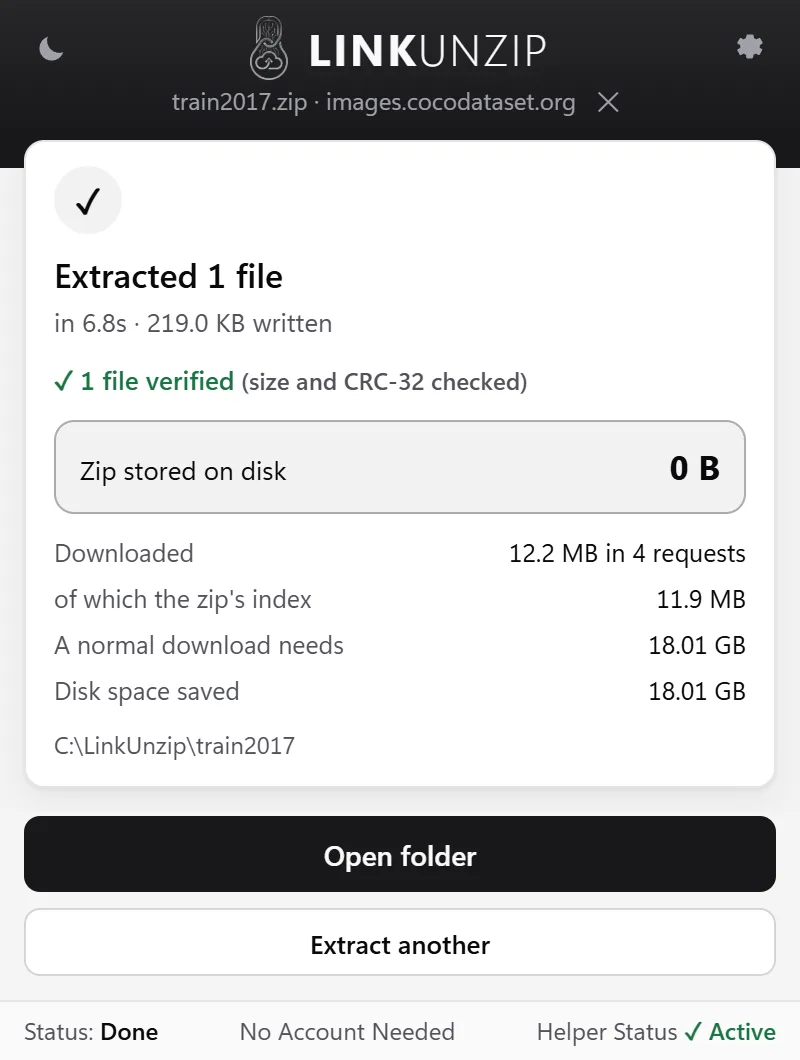
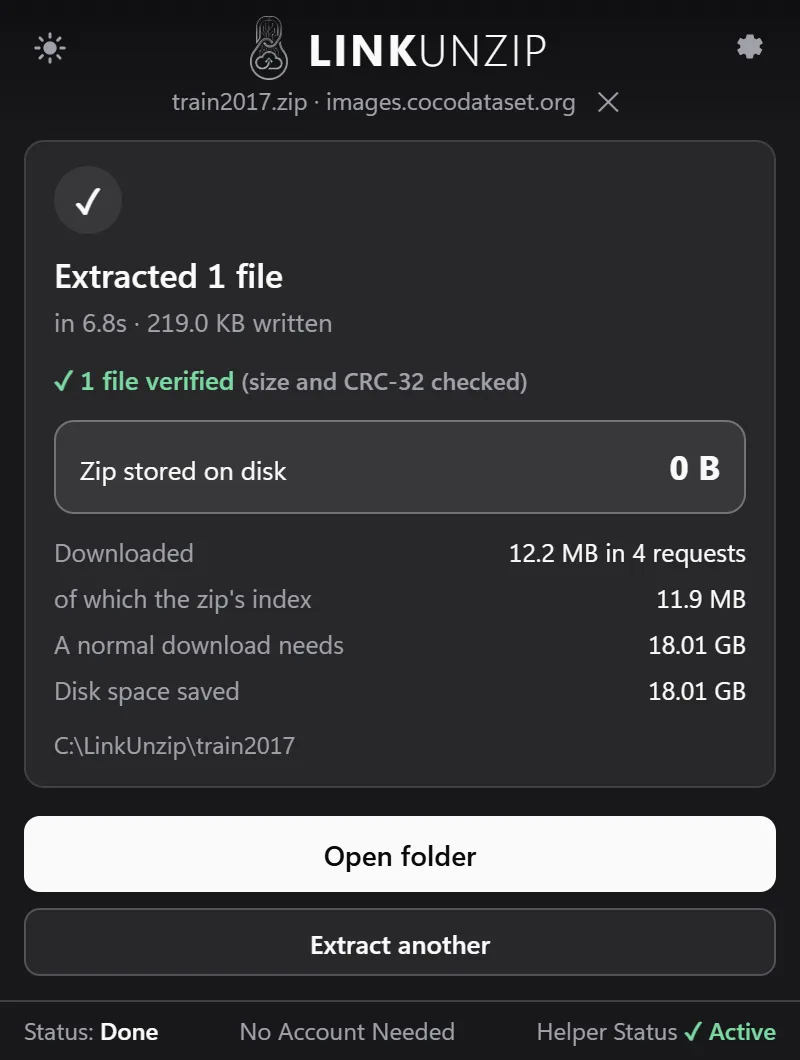
Every file is written under a temporary .part name while LinkUnzip computes its CRC-32. When the data ends, the size and the checksum are compared with the ones stored in the zip's index. Only a file that matches gets its real name. The done screen says how many files were verified.
Safety with untrusted zips
LinkUnzip treats every archive as untrusted:
- Paths that would escape the folder (
.., absolute paths, drive letters) and duplicate entries are refused before anything is written. - Names Windows can't store are renamed, and LinkUnzip says so.
- No file is ever written past the size the index declares for it, which stops zip bombs.
- The free space on your drive is checked before the first byte is written.
- Files with compression methods it doesn't support, or with a password, are named instead of skipped silently.
Measured runs
Measured on the developer's PC through the extension. Sizes as Windows shows them (1 GB = 1024 MB).
| Archive | Zip | Written | Downloaded | Zip on disk | Time |
|---|---|---|---|---|---|
| Blender 4.2 for Windows, 5,518 files | 365.8 MB | 925.6 MB | 365.2 MB | 0 B | 15 to 22 s |
| One photo out of COCO train2017, 118,287 files | 18.01 GB | 219 KB | 12.2 MB | 0 B | 4 to 7 s |
| A GitHub Download ZIP archive, 1,562 files | - | 35.1 MB | 13.1 MB | 0 B | - |
For Blender, the 365.2 MB includes the zip's 1.0 MB index; a normal download-then-extract needs 1.26 GB. For COCO, the 12.2 MB is the 11.9 MB index plus the 219 KB photo.
Limits
- Stored and deflate entries only. No encryption, multi-disk archives or self-extractors.
- File dates and permissions are not restored; symbolic links are written as small text files.
- One big file uses one connection, and a retry restarts that file.
- The extracted files still need their disk space. What LinkUnzip saves is the room the zip would take.
The code is open source: read it on GitHub.
Stop saving zips you only unpack once.
Free for Chrome, Edge and Brave on Windows 10 and 11. No account, no ads, no uploads.