
Unzip GitHub's Download ZIP without saving the zip
Code, Download ZIP, unzip, delete the zip. LinkUnzip does it in one step and the zip never lands on your disk.
The problem
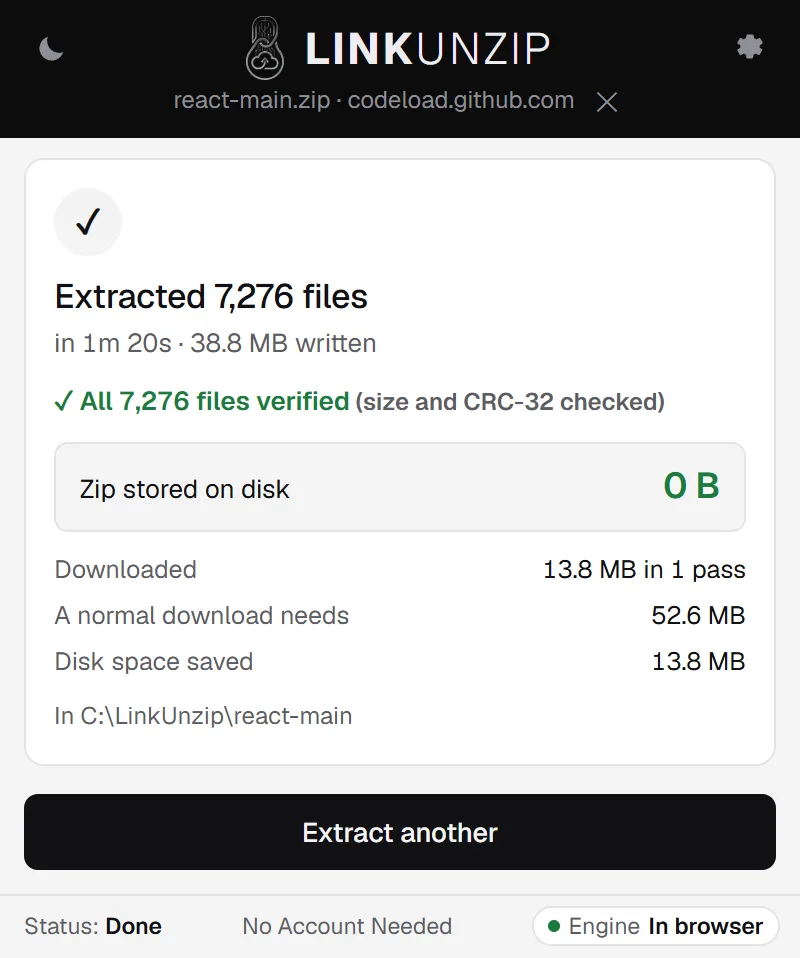
GitHub's green Code button, Download ZIP, saves a zip of the repository that you then unzip and delete. GitHub builds that zip while it sends it, so most tools can't look inside before it has all arrived. LinkUnzip reads it in one pass as it arrives, checks every file and writes the files into a folder. The zip is never saved: React's 7,276 files came from 13.8 MB in one pass in our test.
LinkUnzip is a free browser extension for Chrome, Edge and Brave that extracts a ZIP straight from a link, without ever saving the ZIP.
How to do it, in 3 steps
- Right-click Download ZIP. On the repository's page, open the green Code button, right-click Download ZIP and choose Extract with LinkUnzip. Or copy the link and paste it in the popup.
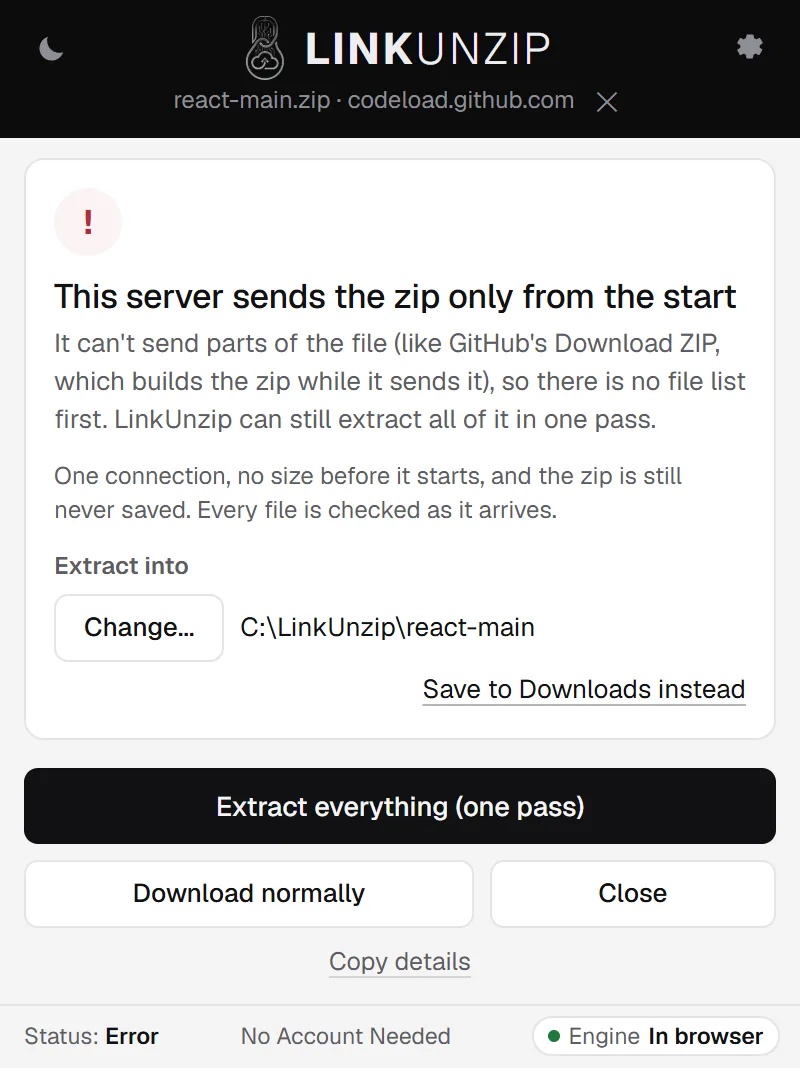
- Choose one pass. LinkUnzip says This server sends the zip only from the start: there is no file list first. Click Extract everything (one pass).
- Open the folder. Every file is checked as it arrives, and the done screen says how many were verified.
A measured example
We extracted the Download ZIP of the React repository (https://github.com/react/react/archive/refs/heads/main.zip) with LinkUnzip 1.2.0, the extension alone in Chrome, into a folder we chose, on 11 November 2026:
| Files written | 7,276, 38.8 MB, all verified |
|---|---|
| Downloaded | 13.8 MB in 1 pass |
| Time | 80 to 85 s |
| Zip on disk | 0 B |
Most of the time goes into writing 7,276 small files, not the download. A repository with fewer files is quicker: ripgrep's 226 files took about 4.4 seconds from start to finish.
Limits
- All or nothing: with one pass you get the whole repository, and LinkUnzip can't show the size before it starts.
- Choose a folder for repositories with many files. Into Downloads, Chrome saves about 6 files a second, so thousands of files take many minutes. Downloads or a folder you choose.
- No history, no git: you get the files of one branch or tag, the same as a normal Download ZIP.
Questions
Can I take only one folder of a repository?
Not from the Download ZIP button: GitHub builds that zip while it sends it, so there is no index to read first and every file comes in one pass. Release downloads are different. Files under a release's Assets can be read in parts, so you get the file list and pick what you want.
Why not just git clone?
If you want the history or plan to contribute, clone. Download ZIP, with or without LinkUnzip, gives you the files of one branch or tag without git and without the history.
Does it work with private repositories?
Not tested yet. LinkUnzip can use your browser login for a site when you allow it, but private GitHub repositories have not been measured. Private links.
Is the Windows helper faster?
It saves straight into a folder on your disk and reads the zip in one pass too. With the helper, a Download ZIP archive of 1,562 files (35.1 MB) was read from 13.1 MB. About the helper.
Stop saving zips you only unpack once.
Free for Chrome, Edge and Brave. Nothing else to install, no account, no ads, no uploads.